
Custom web portals
Bring admin, staff and data together in one system
Do you rely on spreadsheets, emails and separate programs to keep track of customers, staff, tasks and documents? We build a web portal around the way your business actually works — so you spend less time on admin.
The problem
When the business has outgrown spreadsheets and off-the-shelf systems
Customers sit in one place. Tasks in another. Staff hours in a third. Documents live in folders and emails, and getting a quick overview often means asking a colleague.
It may work — but it costs time every single day.
The solution
What is a web portal?
A web portal is your own system online, with a login. It opens in the browser on computer, tablet and phone.
Unlike off-the-shelf software, it only contains what you actually use — with your own workflows, roles and terminology.
The smart part
Why a portal saves time
One login, different views
Staff, managers and customers log in at the same place, but each only sees what's relevant to them.
Entered once
Information is typed in one place and used everywhere it's needed afterwards.
Works on the phone
Staff carry tasks, addresses and time tracking with them — without installing anything.
The possibilities
What can the portal handle?
You only choose the parts that make sense for you. Many start with two or three of them.
Customers
Customer details, agreements, history and pricing.
Staff
Roles, capacity, absence and information.
Scheduling
Tasks, calendar, staffing and routes.
Time tracking
Staff log hours straight from their phone.
Documents
Documentation, data sheets and internal files.
Communication
Internal information, messages and a shared calendar.
Finance
Revenue, hourly rates and the figures that matter.
Automation
Remove repetitive admin tasks and double entry.
Customer case
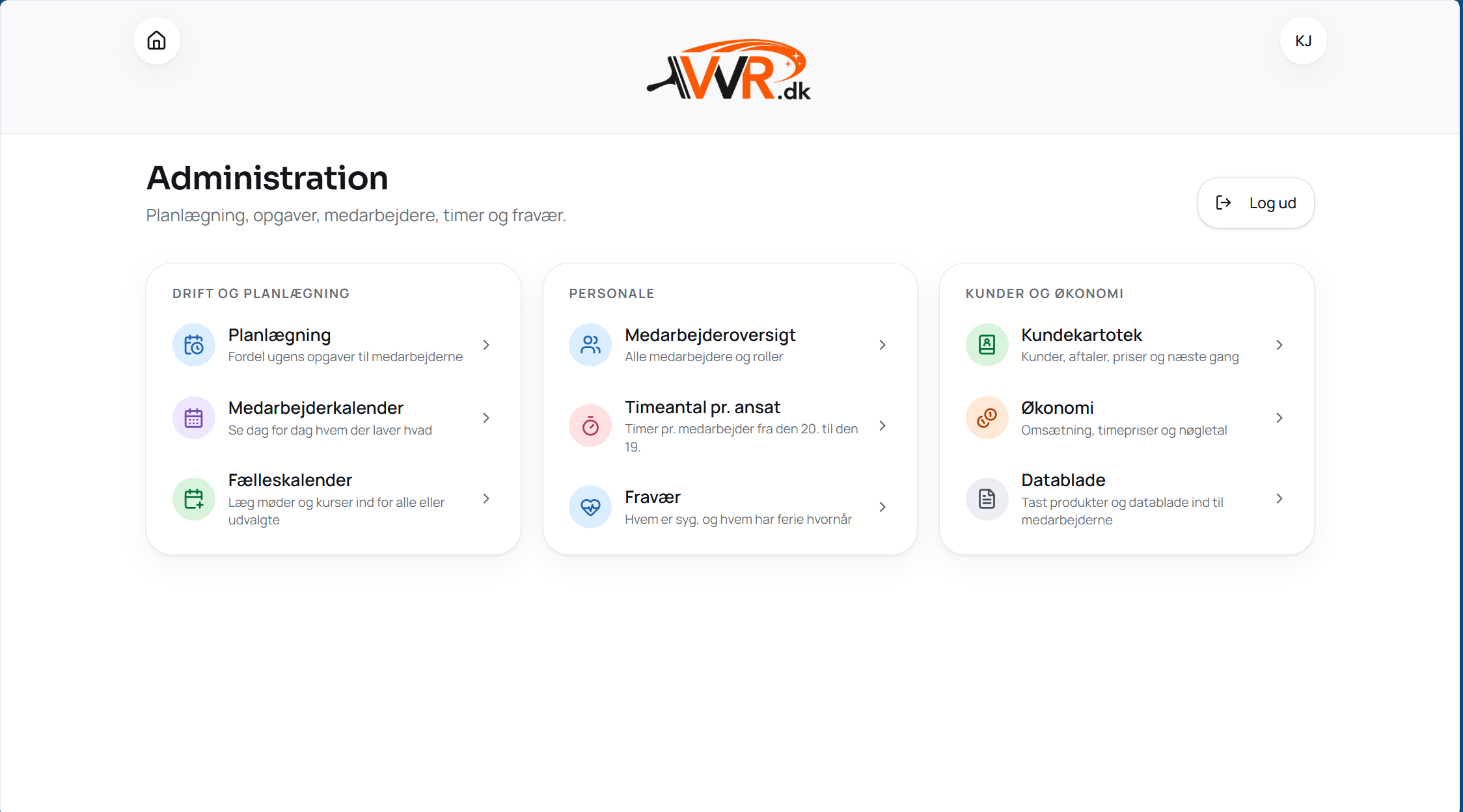
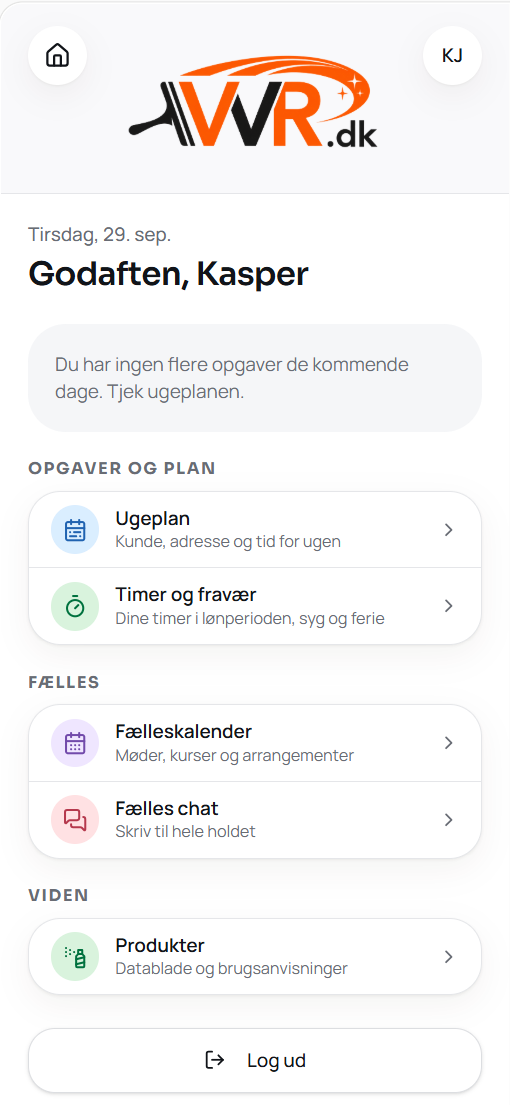
Here's what it looks like at VVR.dk
VVR.dk works with cleaning and window cleaning. Staff see the day's tasks and log hours on their phone. Management has customers, capacity and routes in the same system.
- 400+
- customers gathered in one customer register
- Automatic
- hours collected for payroll without manual counting
- One app
- staff's key tools on their phone
Custom-built
The portal should fit your business — not the other way around
That's why we don't start with a feature list. We start with your working day.
- 01Where is information typed in more than once?
- 02What do staff spend unnecessary time on?
- 03Where does management lack overview?
- 04Which spreadsheets have become business-critical?
- 05Which systems already work and just need to be connected?
The answers decide what gets built. It could be a simple staff portal — or a complete admin system.
Integrations
You don't need to replace everything
If you already have an accounting system, a calendar or an industry system that works, you keep it. The portal connects to it so data flows between them, and no one has to type the same thing twice.
Read more about automation and integrations.
The process
From workflow to finished solution
- 01
We review your workflows
We look at how the work actually happens today.
- 02
We find the time-wasters
Manual processes, double entry and places where information gets lost.
- 03
We prioritise what matters most
We start with the features that create the most value.
- 04
We build and test with you
You follow the solution as it's built and give feedback from the real working day.
- 05
The solution grows with you
The portal can be extended over time with new features, integrations and automations.
What are you spending unnecessary time on today?
You don't need to know how the system should be built. Tell us how you work today, and we'll look together at what makes sense.
- An honest view — even if a portal isn't the right fit for you
- Completely no obligation
- Reply within one business day
How much does a web portal cost?
It depends on how much the portal needs to do. We often start with the most important features and expand from there. After a chat about your workflows, you get a concrete quote for development as well as ongoing operation and further development.
What's the difference between a web portal and off-the-shelf software?
Off-the-shelf software requires you to adapt to it. A custom web portal is built around your own workflows, roles and data — with only what you actually use.
Do we need to replace our current systems?
No. What already works, stays. The portal connects to your existing systems so data flows between them and double entry disappears.
Can the portal work as both a staff portal and a customer portal?
Yes. The same system can give staff, management and customers each their own access, so everyone only sees what's relevant to them.
Do staff need to install anything?
No. The portal works directly in the browser on phone, tablet and computer.
Related services
- See websites for businessesWebsites that sell on the outside — and have a real system behind the front page.
- See webapp developmentPurpose-built webapps shaped around the way the business actually works.
- Read about automation and AIWe help businesses streamline, automate and use AI where it creates real value.